
BULK ASSET CAPTURE
FOR FIVEM
CAPTURE AN ENTIRE SERVER'S ASSET LIBRARY.
VEHICLES · WEAPONS · PEDS · PROPS · CLOTHING · ITEMS
ONE SETUP. HUNDREDS OF CONSISTENT IMAGES.
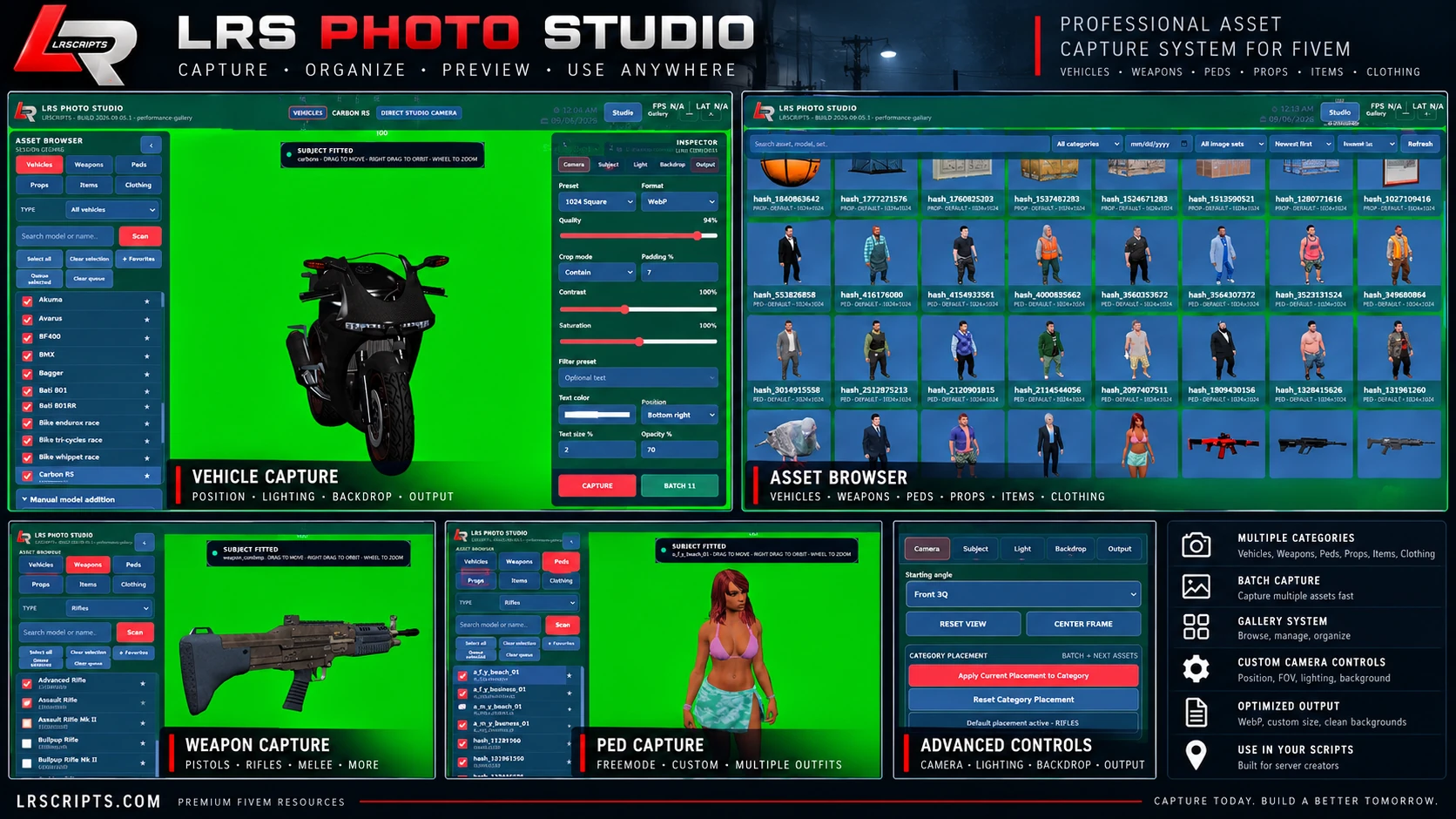
Turn a whole asset catalog into finished images
LRS Photo Studio is built for developers who need more than one screenshot at a time. Set the camera, subject placement, lighting, background and output once, save that setup to the category, then queue or multi-select assets and process large FiveM catalogs through the same repeatable capture workflow.
Built for repeatable production, not one-off screenshots
SEE LRS PHOTO STUDIO IN ACTION
Watch the official LRS Photo Studio gameplay showcase and see the capture workflow directly on the product page.
Consistent output at catalog scale
Capture settings and metadata are retained so gallery assets can be reviewed, recaptured and reused without rebuilding every camera or subject setup.
Compatibility & platform
The studio runs standalone. Framework and inventory adapters activate only when their matching resources are available.
Installation
1. Install and ensure screenshot-basic
2. Copy the delivered LRS Photo Studio resource to your resources directory
3. Configure capture permissions, storage and any optional framework adapters
4. Add custom item or model mappings when your server needs them
5. Ensure LRS Photo Studio after screenshot-basic
6. Open the studio and create a test capture
Use the included customer documentation for the exact delivered resource name and all supported settings.
Configuration
Configure access, categories, item model mappings, capture profiles, output presets, formats, quality, dimensions, crop and padding, lighting, backgrounds, subject placement, camera defaults, filters, text overlays, gallery storage and optional framework adapters.
LRS Photo Studio FAQ
What can it capture?+
Vehicles, weapons, peds, props, items and freemode clothing, plus manually added models.
Does it support bulk or batch capture?+
Yes. Queue or multi-select assets and run large catalogs through the same saved category, camera, background and output settings with progress and failure handling.
Can I save category-specific positioning?+
Yes. Apply the current subject and camera placement to a category so future captures in that category reuse the same framing.
What formats are supported?+
PNG, WebP and JPG with presets, quality settings and custom dimensions up to 4096px where supported.
Can backgrounds be transparent?+
Yes. Transparent PNG is supported alongside green/chroma, solid, custom-image and normal scene backgrounds.
Is there a built-in gallery?+
Yes. Search, filters, sorting, viewing, deletion, recapture and saved-setting reuse are built in.
Where can I use the captured images?+
Inventory icons, dealership and garage menus, clothing catalogs, websites, documentation, Discord assets and custom FiveM resources.
Support
For support, include LRS Photo Studio version 1.2.1, the capture category and output settings, and the first relevant client F8, server-console or NUI error.
Support Guide